Introduction
Building a website in 2026 is no longer about simply “having an online presence.” Your website is now your digital storefront, sales representative, trust signal, and conversion engine all at once.
The good news is that you no longer need to build everything from scratch. With the right structure, a quality template, and a clear launch strategy, you can go live faster and look more professional from day one.
This guide explains the complete process in a beginner-friendly way.
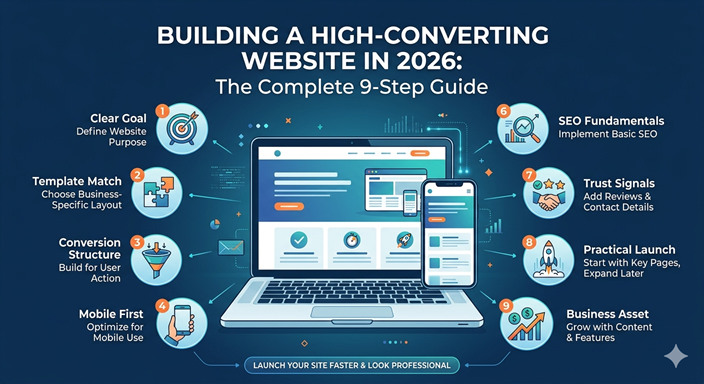
Step 1: Start with a Clear Website Goal
Before you choose colors, pages, or features, decide what your website is supposed to do.
- Sell products online
- Generate leads for a service business
- Showcase your portfolio
- Build authority through content
- Support a business with bookings or inquiries
When your goal is unclear, your website becomes cluttered. When the goal is clear, every section of the page has a purpose.
Simple rule
One website can do several things, but it should still have one primary outcome. That outcome should shape your design and content choices.
Step 2: Choose a Template That Matches the Business Model
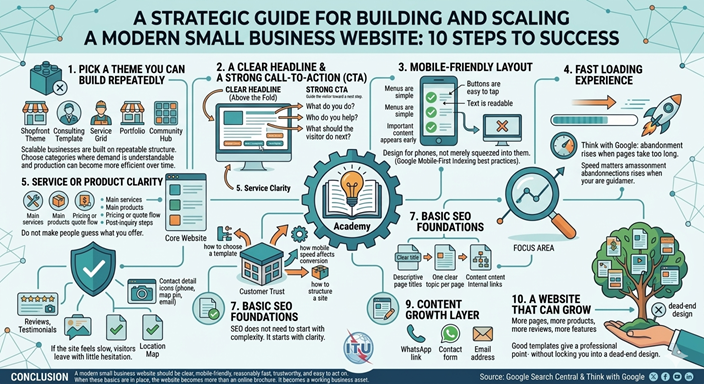
One of the fastest ways to launch a strong site is to start with a template designed for your business type.
A service company needs a different layout from a restaurant, school, digital marketplace, or contractor business. A strong template saves time because the page structure is already aligned with a common business need.
Look for these qualities in a template
- Clear hero section with headline and call-to-action
- Good mobile presentation
- Strong service or product sections
- Trust-building areas like testimonials or reviews
- Simple navigation and clean page hierarchy
A premium template does not just make a website look attractive. It reduces decision fatigue and helps you focus on launch speed.
Step 3: Build Around a Conversion Structure
A website should move the visitor toward action. That action may be a purchase, a quote request, a booking, or an inquiry.
A strong homepage usually includes:
- Hero section: what you offer and why it matters
- Value section: what makes your business different
- Services or products: what you actually sell
- Trust proof: reviews, clients, numbers, or case studies
- Call-to-action: the next step you want the visitor to take
If visitors reach the bottom of your homepage and still do not know what to do next, the site is not structured strongly enough.
Step 4: Design for Mobile First
Mobile usability is no longer optional. Google explicitly recommends sites that load properly and display well on mobile devices, and its documentation explains that mobile-first indexing uses the mobile version of content for indexing and ranking.
That means your mobile experience is not a secondary version of your site. In practical terms, it is the version Google pays closest attention to.
What this means for you
- Buttons must be easy to tap
- Text must be readable without zooming
- Navigation should be clean and short
- Images should not feel oversized or slow
- The main call-to-action should be visible early
When your site works well on mobile, it feels modern, professional, and trustworthy.
Step 5: Prioritize Speed
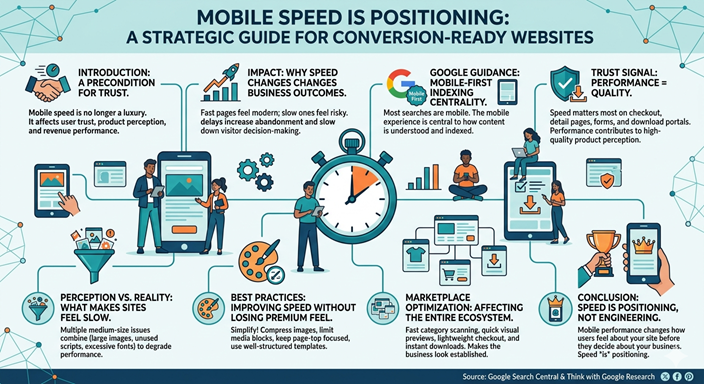
Fast websites usually perform better. Google’s own guidance emphasizes quick loading and strong mobile usability, and Think with Google’s research has shown that slow pages lose attention quickly.
Speed matters because users compare your site with every other fast experience they have online. If your site feels slow, it feels less credible.
Simple speed wins
- Use compressed images
- Do not overload the page with unnecessary scripts
- Choose a clean, efficient template
- Keep hero sections visually strong but not bloated
- Limit the number of large media files on one page
Step 6: Use SEO Fundamentals from the Beginning
Search engine optimization is easier when it is built into your website from day one instead of added later.
Google’s SEO Starter Guide focuses on fundamentals like descriptive page titles, useful content, clear site structure, and helpful links between pages. That is good news for small businesses, because those fundamentals are achievable without an advanced technical team.
Start with these basics
- Write clear page titles
- Use one main heading per page
- Create useful original content
- Use descriptive internal links
- Organize your navigation clearly
SEO is not just about ranking. It is about helping search engines understand what your pages are for.
Step 7: Add Trust Signals That Reduce Friction
People hesitate when they are unsure. Good websites remove that uncertainty with trust signals.
Examples of strong trust signals
- Customer reviews
- Clear contact details
- Professional branding
- Secure checkout or order flow
- Consistent visual presentation
Even if your business is small, trust signals help you look established. This is one reason premium marketplaces and strong business websites feel more convincing than plain pages with only text.
Step 8: Keep the Launch Scope Practical
Many website projects stall because the owner keeps adding more pages, more features, and more ideas before launch.
A better strategy is to launch a clean, professional version first and improve over time.
Your version one should usually include:
- Home
- About
- Services or products
- Contact or checkout
- Optional blog or academy section
Launch gives you momentum. Waiting for perfection often delays growth.
Step 9: Turn the Website into a Business Asset
Once your website is live, it should continue working for you. That means using it to attract visitors, build trust, educate buyers, and increase conversions over time.
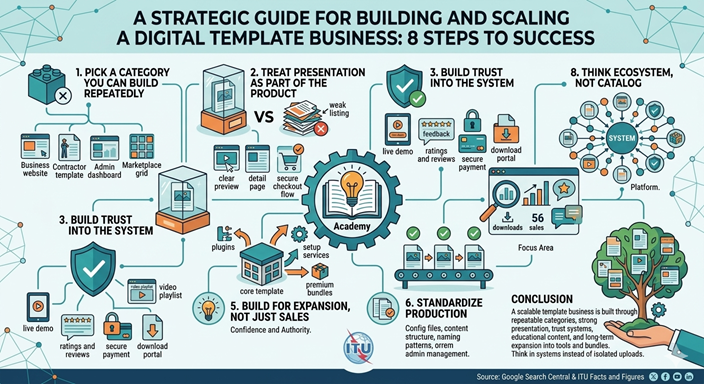
For example, a digital marketplace can combine templates, blog content, academy lessons, reviews, and future plugin listings into one ecosystem. That makes the site stronger than a simple product catalog.
Long-term growth actions
- Add blog content around buyer questions
- Publish academy-style lessons
- Improve product pages with reviews
- Add related products or bundles
- Expand into tools, plugins, or support services
Conclusion
A high-converting website is not created by luck. It is built through clear goals, strong structure, mobile usability, good speed, practical SEO, and a confident presentation.
You do not need to start from zero. With the right template and the right launch process, you can create a website that feels premium, supports your business, and scales with you over time.
Sources and Further Reading
- Google Search Central — SEO Starter Guide
- Google Search Central — Mobile-first indexing best practices
- Google Search Central — How to get on Google
- ITU — Facts and Figures 2024: Internet use
- Think with Google — Mobile speed research and guidance
Ready to Build Faster?
Explore premium-ready templates, practical business lessons, and marketplace products designed to help you launch with confidence.